


Your 3D model is already a comprehensive BOQ. You just haven't extracted it yet.
iBOQ connects directly to your IFC model and automatically classifies and measures every element by type, trade, and specification. Eliminate manual take-off, reduce human error, and produce consistent, auditable estimates in a fraction of the time.
Watch iBOQ
in action
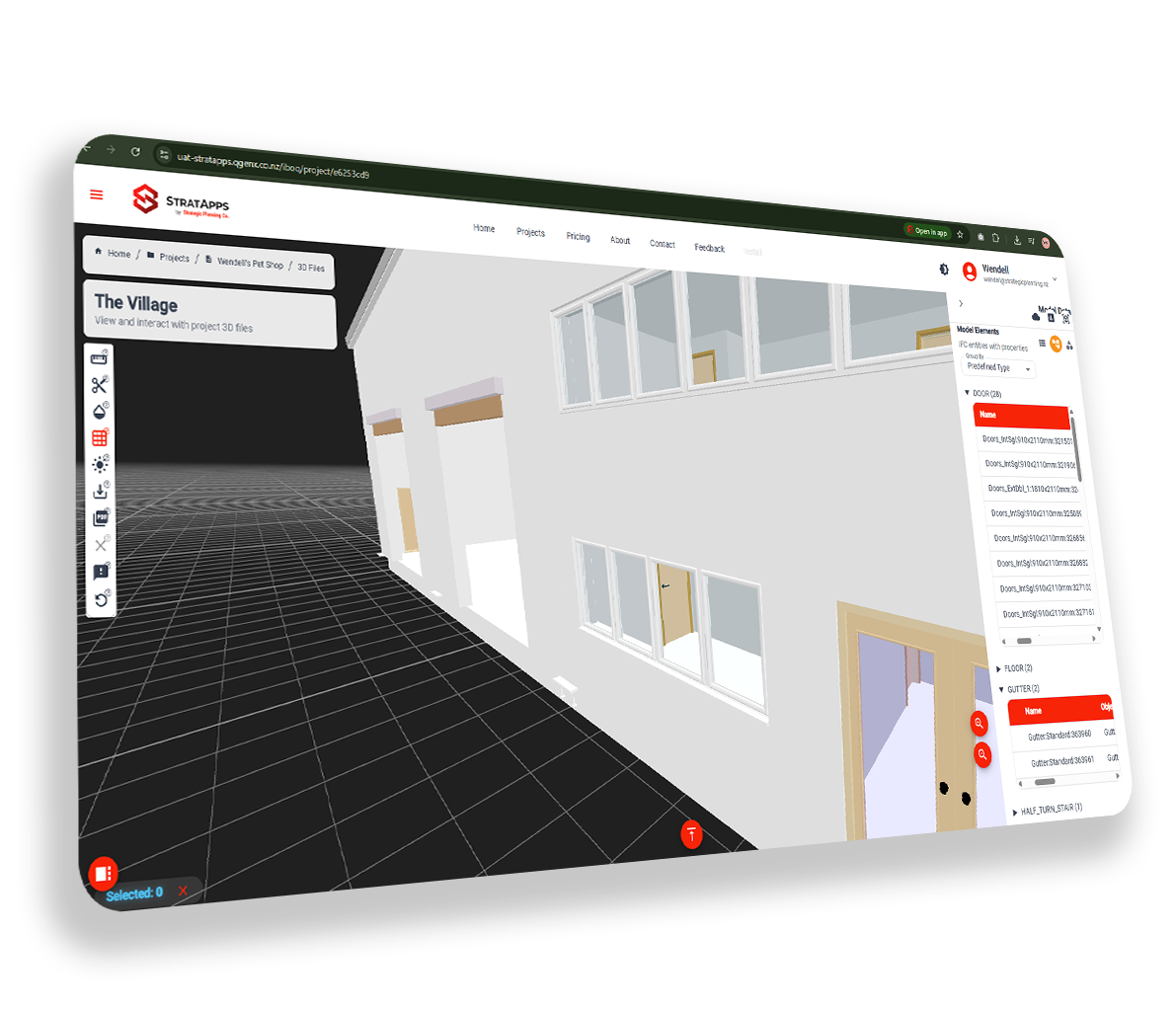
Design teams work in rich 3D models, but cost estimation still lives in spreadsheets. iBOQ closes that gap. It ingests BIM models directly from IFC and Revit, auto-classifies assets using Uniclass 2050, and generates reliable quantities through a deterministic engine. The result is a live, model-linked environment where you can explore your project in 3D, view quantities instantly, monitor costs through live dashboards, and ask plain-language questions of an AI assistant, all within a framework of structured governance and commercial control.
Everything you need for automated quantity take-off
IFC Model Import
Upload IFC2x3 and IFC4 files directly from your BIM platform. No conversion or pre-processing required.
Automated Classification
Elements are automatically classified by type, material, and work package, mapped to standard trade categories.
Trade-Level Breakdown
Quantities grouped by civil, structural, MEP, finishing, and substructure, ready for sub-contractor pricing.
Excel Export
Download a clean, formatted BOQ spreadsheet, column headers, units, and quantities all structured for pricing.
Revision Comparison
Upload updated model revisions and instantly see what quantities changed, no manual re-measurement needed.
Auditable Outputs
Every quantity is traceable to its source element in the IFC model, giving estimators and reviewers full confidence.
Three steps from model to BOQ
Upload your IFC model
Drag and drop your IFC file into iBOQ. Any IFC-compliant export from Revit, ArchiCAD, or Vectorworks will work.
iBOQ classifies and measures
Our engine reads every element, extracts geometric properties, and organises them into a structured Bill of Quantities.
Download your BOQ
Export a formatted Excel BOQ, ready for cost rates, sub-contractor packages, or integration into your estimating system.
Why this beats everything else
Manual quantity takeoff
Measuring every element by hand from drawings or models takes days and is highly prone to human error.
Version headaches
Each model revision means redoing takeoff from scratch, or risking stale quantities in your estimate.
Expensive QS time
Qualified quantity surveyors spending days on basic measurement is costly, slow, and hard to scale.
Model-driven quantities
iBOQ reads your IFC file directly. Every element is measured automatically from the geometry, no manual input.
Always model-consistent
Re-upload a revised IFC and quantities update immediately. No manual reconciliation required.
Excel BOQ output
A structured, formatted Excel BOQ is ready for cost rates, sub-contractor packages, or estimating integration in seconds.
Your model already contains the quantities. iBOQ just gets them out.
Built for the people who price projects
Start using iBOQ today
Register for free on the StratApps platform, no credit card required.