


PDF programme in. MS Project XML out. In seconds.
Contractors, clients, and project controllers routinely receive schedules as locked PDF documents, impossible to update, interrogate, or baseline. The PDF to MPP Converter extracts the task structure, durations, and dates from any PDF programme and produces a clean XML file ready to import directly into Microsoft Project.
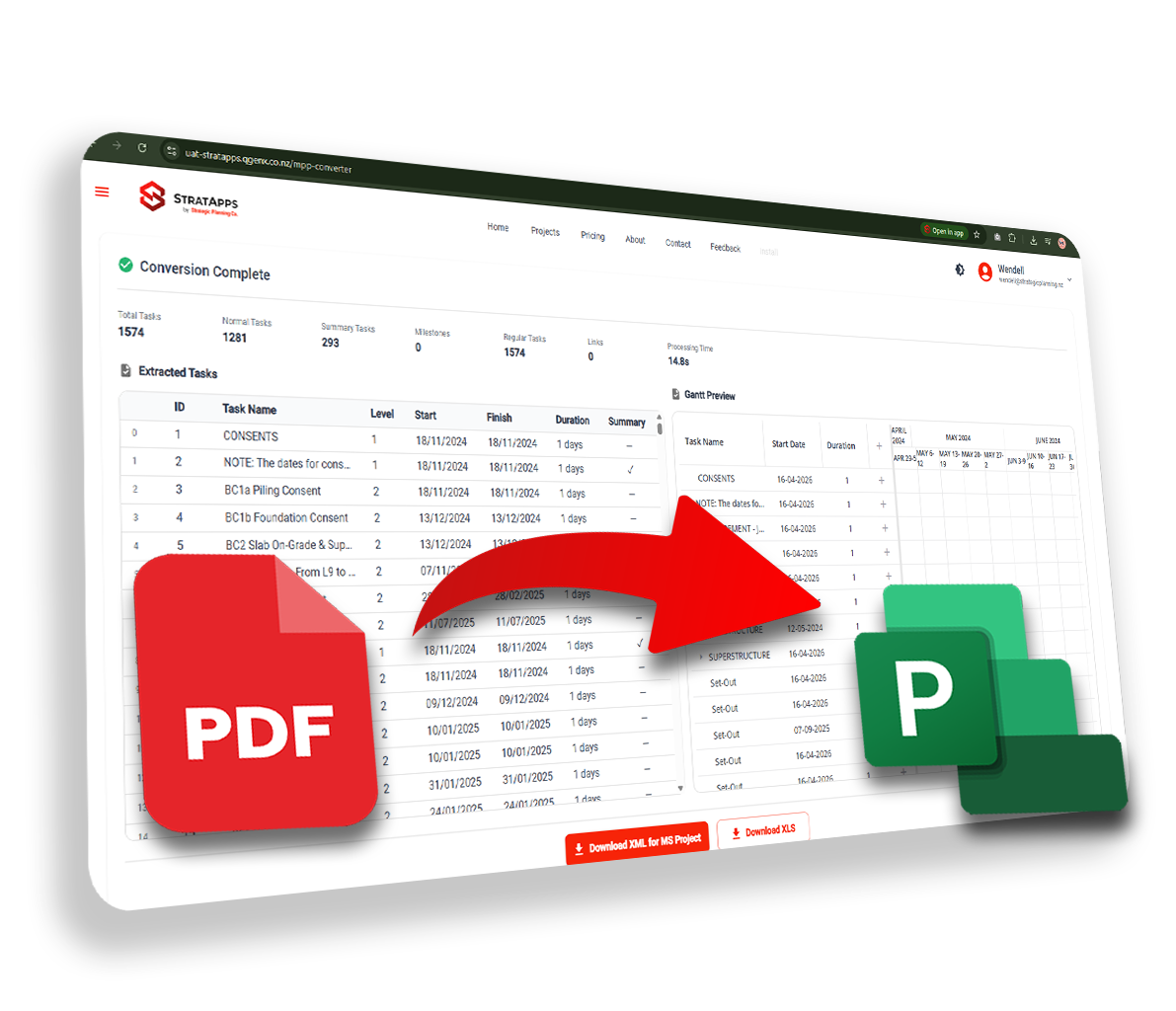
From locked document to importable programme
A PDF programme
A locked, uneditable PDF schedule received from a contractor, client, or sub, impossible to update, filter, or use for planning analysis without rebuilding it manually.
An MS Project XML file
A clean XML schedule file with all tasks, durations, dates, WBS hierarchy, and relationships extracted, ready to import directly into Microsoft Project.
Intelligent extraction, structured output
PDF Schedule Detection
Automatically identifies programme tables, Gantt structures, and task lists within your PDF document.
OCR Task Extraction
Optical character recognition reads task names, activity IDs, durations, and start/finish dates, even from scanned or image-based PDFs.
WBS Hierarchy Recognition
Detects WBS levels, summary tasks, and sub-tasks from indentation patterns, maintaining the original programme structure.
Dependency Inference
Identifies finish-to-start relationships from the Gantt bar layout and sequence logic, pre-populating task predecessors in the output file.
MS Project XML Export
Download a clean XML file formatted for direct import into Microsoft Project, tasks, durations, WBS, and relationships intact.
Import & Baseline Ready
The XML output imports cleanly into Microsoft Project, assign resources, set baselines, apply constraints, and run critical path analysis immediately after import.
Three steps from PDF to Microsoft Project
Upload your PDF programme
Drag and drop any PDF schedule, printed Gantt charts, tabular programmes, or scanned documents are all supported.
Extraction & structuring
The engine detects and extracts tasks, durations, dates, WBS hierarchy, and relationships, then structures them into a valid MS Project XML format.
Download & import to MS Project
Download the XML file and import it directly into Microsoft Project, your schedule is ready to work with immediately.
Why this beats everything else
Manual re-entry
Rebuilding a PDF schedule in MS Project means hours of typing tasks, durations, and dates one by one.
Transcription errors
Manual entry introduces mistakes, wrong durations, missed activities, broken logic that needs fixing before use.
Programme review delayed
You can't baseline or filter a locked PDF. The schedule sits unusable until someone rebuilds it from scratch.
Extracted in seconds
Task names, durations, dates, and WBS hierarchy are read directly from the PDF automatically.
Clean XML output
The structured XML is ready to import into Microsoft Project immediately, no cleanup or correction required.
Start analysing straight away
Run critical path, apply a baseline, or filter activities the moment the import is complete.
Stop re-entering data. Start working with it.
Anyone who receives schedules as PDFs
Convert your first PDF programme today
Register for free on the StratApps platform, no credit card required.